Due to a mishap, all exported codes were deleted during the export process in Google Authenticator ; I had saved the recovery codes for all entries, but not the Facebook one. I had no need or urgency, as I hadn't used the social network for years, but I wanted to see if I could somehow regain access. The beginning of an odyssey.
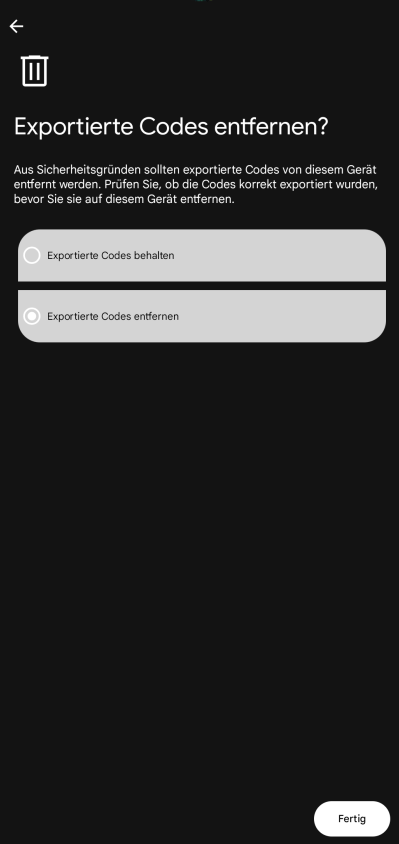
The fatal error lay in this selection dialog when exporting all entries in Google Authenticator, where I hastily selected the second option.:
But it doesn't make backups.
Facebook required a time-based code from Google Authenticator after password entry. This TOTP configuration no longer existed. Codes sent via email confirmed access to the mailbox, but did not replace the missing second factor. Even a new password would not have changed that.
It took almost three months to successfully log in. In between, there were two support teams, a data privacy request, a new disposable email address, multiple ID photos sent, and several follow-up inquiries. In the end, a password reset didn't help; only a manually issued, time-limited two-factor authentication (2FA) code worked.
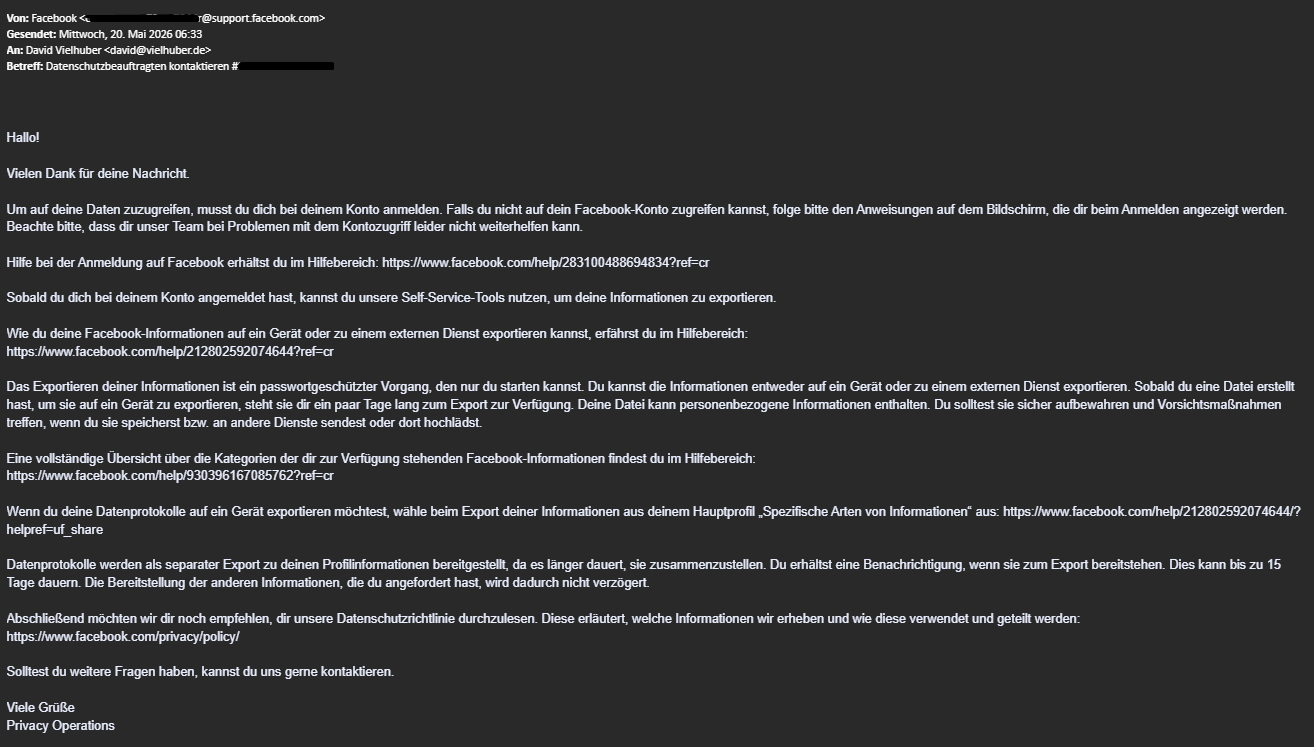
After a very long search, I found Facebook's official EU data protection form . An employee from “Privacy Operations” actually responded to this after 2 weeks using a 16-digit case number. I submitted the account details, described the lost authenticator and asked for identity verification and a reset of the old 2FA method and requested information according to Art. 15 GDPR. Meta referred to the usual self-service tools when accessing data. This team cannot help with account access. This was practically useless: the sites mentioned required a login.
Help: None available.
I objected, set a deadline, and announced that I would file a complaint with the relevant supervisory authorities regarding the data protection aspect if necessary. Account recovery and data disclosure remained two separate processes; I did not receive complete information as required by Article 15. Two weeks later, the first useful instruction arrived: I was to provide an email address that had never been linked to a current or previous Meta account. For this, I used a disposable email address that I still had access to.
Ten days later, Facebook Community Operations contacted me at this new address. They requested a detailed description of the problem and photos of my original ID – explicitly not scans. I immediately sent them the front and back of my ID and stated two specific goals: to remove the no-longer-usable TOTP method and to assign the new address to the account.
There was radio silence for over three weeks – I finally followed up again, and the problem description and photos of my ID were sent again. After another two weeks, I inquired about the receipt and processing status. There was still no discernible change to the account. After another two weeks of waiting, I combined both processes into one message: case number, steps taken so far, documents sent, and the desired outcome.
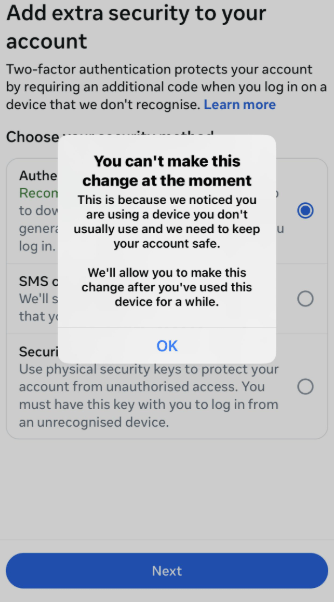
Finally (by this point I had almost given up hope), Meta sent five one-time-use, eight-digit 2FA codes. They were valid for three days. The message explicitly stated that I should not reset my password again before using them. I was indeed able to log in with them and immediately set up my phone number as an additional two-factor authentication method. However, I still couldn't remove the old authenticator method. On my desktop, Facebook reported a security check for the new device, but on my mobile device, the page remained blank.
The Google Authenticator was rejected.
I asked Meta to remove it manually on the same day. My request was fulfilled two weeks later. In summary, the following points helped.:
- Contact a person via the official EU data protection form,
- (Very persistently) follow up via email and insist on information according to Article 15 GDPR.,
- Obtain manual 2FA codes and reset 2FA.
And the moral of the story: Two-factor authentication should never be tied to just one device. Set up recovery codes, the second factor, and security keys before you need them!